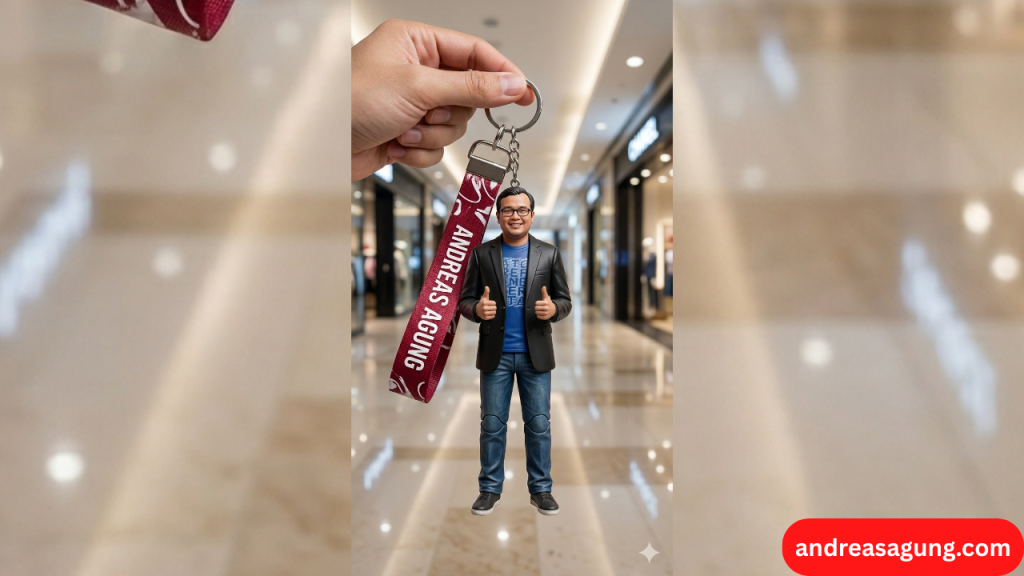
Prompt AI, Cara Membuat Foto Menjadi Gantungan Kunci Action Figure Menggunakan Gemini
Berikut ini langkah-langkah untuk membuat foto menjadi miniatur gantungan kunci berbentuk action figure dengan menggunakan Gemini AI.
1. Buka Google Gemini AI, disini : https://gemini.google.com/app
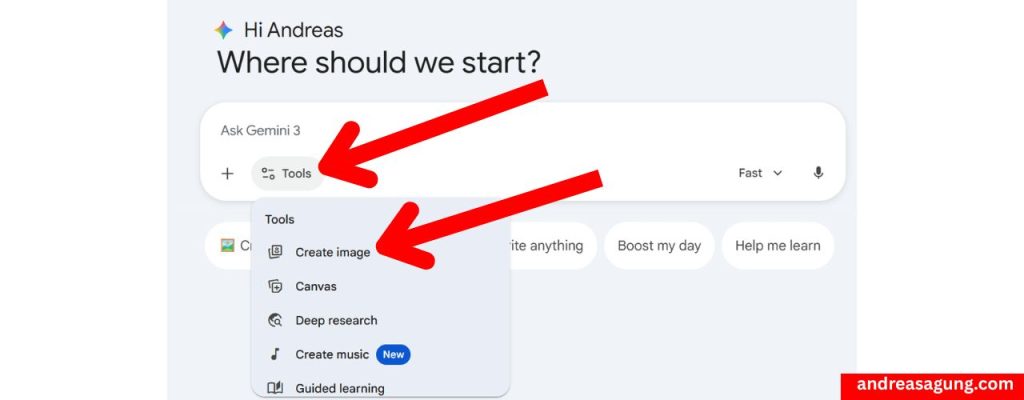
2. Pilih menu “Tools”, lalu pilih “Create Image”.
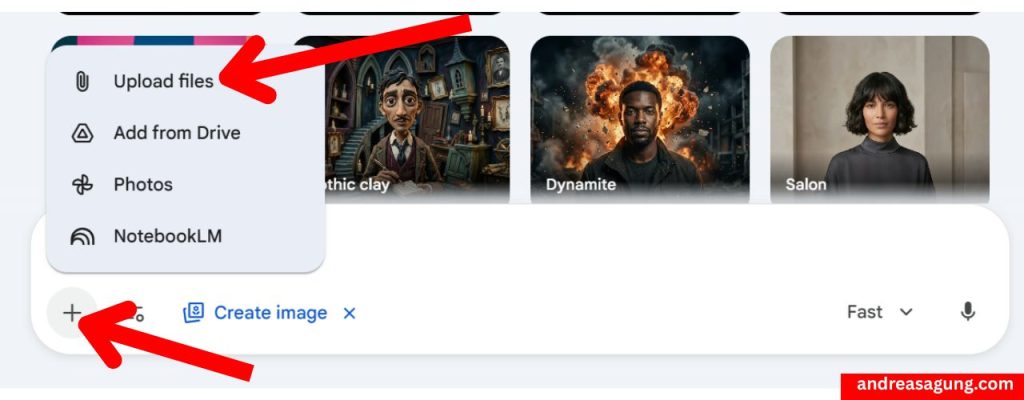
3. Upload foto Anda ke Gemini. Klik tanda “+”, lalu bisa pilih “Upload files” untuk mengambil fotonya dari laptop Anda.
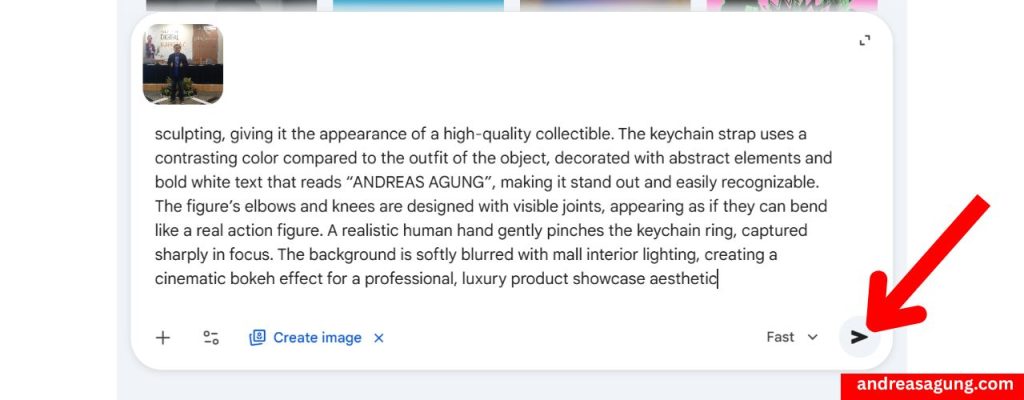
4. Gunakan prompt berikut ini (tinggal copy-paste). Dan ganti kata-kata “NAMA ANDA” pada prompt ini menjadi nama riil Anda.
PROMPT :
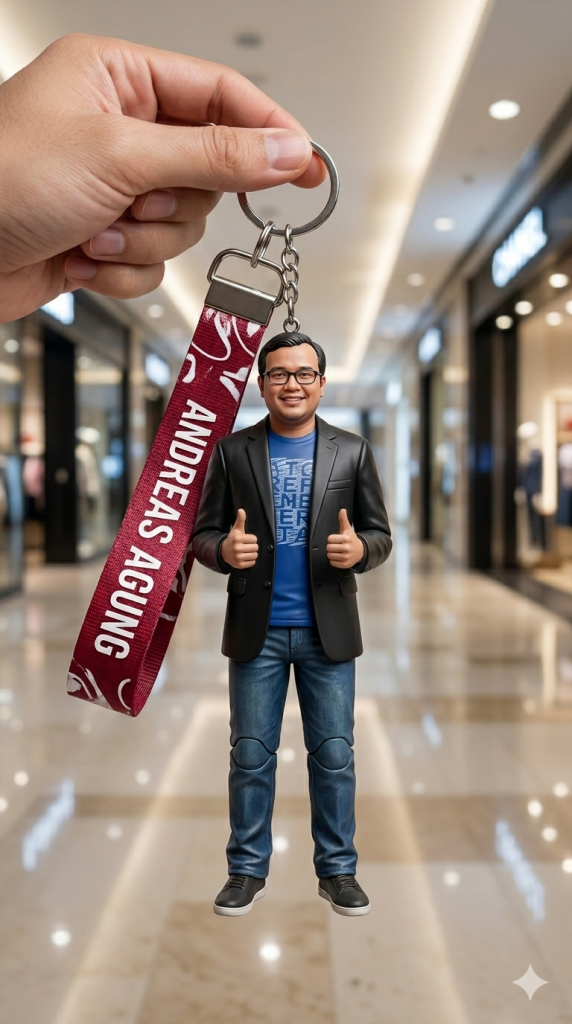
Ultra-realistic product photography in a 9:16 aspect ratio, with soft studio lighting and glossy highlights. A full-body keychain shaped like an action figure, designed with highly realistic details and natural proportions, closely resembling the main object based on the provided reference. The outfit style, design, and colors match the original clothing of the object, arranged to look elegant and premium. The figure’s face has a natural expression with lifelike sculpting, giving it the appearance of a high-quality collectible. The keychain strap uses a contrasting color compared to the outfit of the object, decorated with abstract elements and bold white text that reads “NAMA ANDA”, making it stand out and easily recognizable. The figure’s elbows and knees are designed with visible joints, appearing as if they can bend like a real action figure. A realistic human hand gently pinches the keychain ring, captured sharply in focus. The background is softly blurred with mall interior lighting, creating a cinematic bokeh effect for a professional, luxury product showcase aesthetic
Kalau sudah, Anda klik logo pesawat kertas di kanan bawah
5. Tunggulah beberapa saat, dan miniatur gantungan kunci action figure sudah jadi. Tinggal Anda download ke laptop Anda.
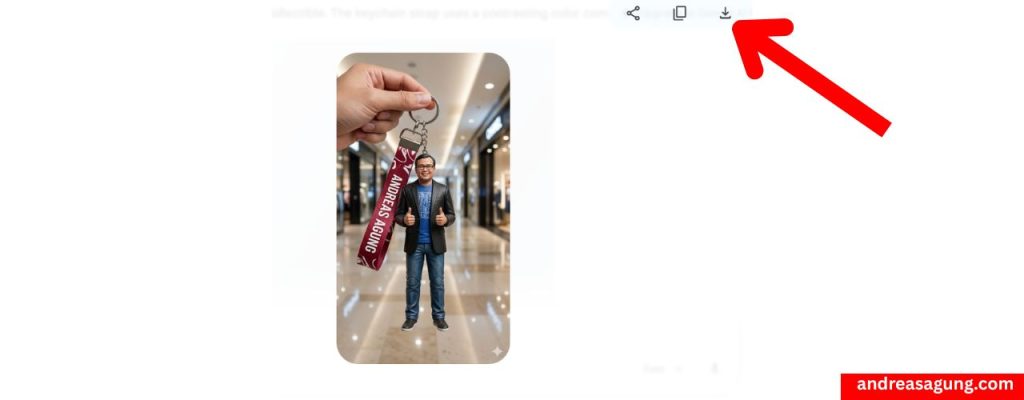
Demikian gambar miniatur gantungan kunci action figure hasil dari Gemini AI.
Oke, demikian tutorial Prompt AI, Cara Membuat Foto Menjadi Gantungan Kunci Action Figure Menggunakan Gemini.
Apabila Anda merasa tutorial ini bermanfaat, jangan lupa tuliskan hashtag #andreasagung pada postingan Sosial Media Anda.
Jangan lupa ikuti Kursus Online AI dari nol untuk pemula, dengan harga yang sangat terjangkau, disini : KURSUS AI UNTUK PEMULA
Terima kasih atas perhatiannya, semoga bermanfaat. Sukses selalu.
Baca juga tutorial AI menarik lainnya :